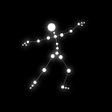
Pose Camera: AI-guided posing coach with post-shot refinement
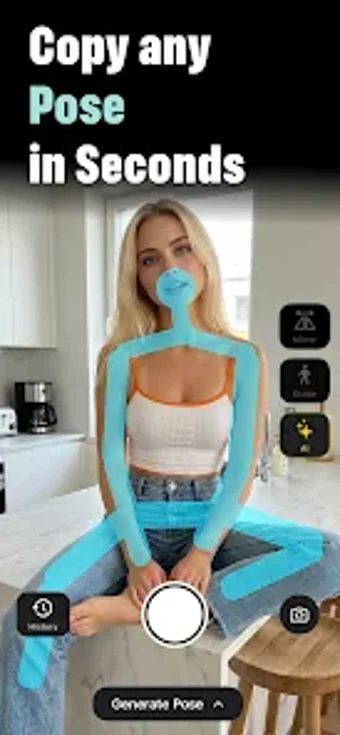
Pose Camera: AI Pose Maker from BotivAI - AI Apps is a photography app that coaches users to pose naturally, reducing camera awkwardness and improving compositions. It provides live on-screen outlines, scene-aware pose suggestions, and post-shot AI adjustments to align body angles and camera tilt while preserving facial identity. The app also accepts uploaded reference images and organizes poses by scenario. Social media creators, solo travelers and couples gain guided captures that raise the chance of flattering, coordinated photos without a professional photographer.

Unlock your creativity with Adobe Stock
Get 10 images or 1 video with a free trial
What is Pose Camera used for?
Pose Camera targets people uncomfortable in front of a camera, including social media influencers, solo travelers, and couples. It addresses the specific creative problem of frozen poses by turning capture into a guided session, helping users generate coordinated, flattering images without hiring a photographer. The result is sharper composition and reduced retakes, which suits travel snapshots, dating profiles, and quick social posts.
How well does it protect privacy and identity?
The developer states photos are never used to train AI models and can be deleted, which supports a privacy-first stance. The tool also emphasizes preserving the user's facial identity while adjusting posture, so edits target body angles rather than facial features. These choices reduce concerns about biometric reuse and keep final images recognizably the subject, a practical point for people cautious about automated image processing.
Is it approachable for beginners and useful for experienced creators?
The app combines scenario-based resources and in-shot guidance that lower the entry barrier for newcomers, while offering post-capture refinement for more exacting edits. For example, a categorized library and a substantial set of pose ideas let beginners pick a starting point, and the scene-aware suggestions support photographers who want context-matching results. Creators gain a workflow that supports quick captures and iterative polishing.
How does Pose Camera compare with standard photo editors?
Unlike many photo editors that focus on post-capture effects, this tool prioritizes guided capture and pose correction before or after shooting. That makes it a specialized utility in the photography category rather than a full editing suite. BotivAI's portfolio of AI creative apps shows the developer's focus on automated assistance, and the app is optimized for modern Android devices that can handle on-device AI tasks.
In conclusion, a focused tool for guided posing
Pose Camera: AI Pose Maker is a focused option for creators who need guided, identity-preserving pose assistance. It suits social media creators and travelers seeking higher-quality candid and posed shots; the trade-off is its specialization, which does not replace a full-featured photo editor. Use it when the primary goal is capture confidence and coordinated framing rather than advanced retouching workflows.